Google Business Profile Posts That Drive Calls Without Clicks
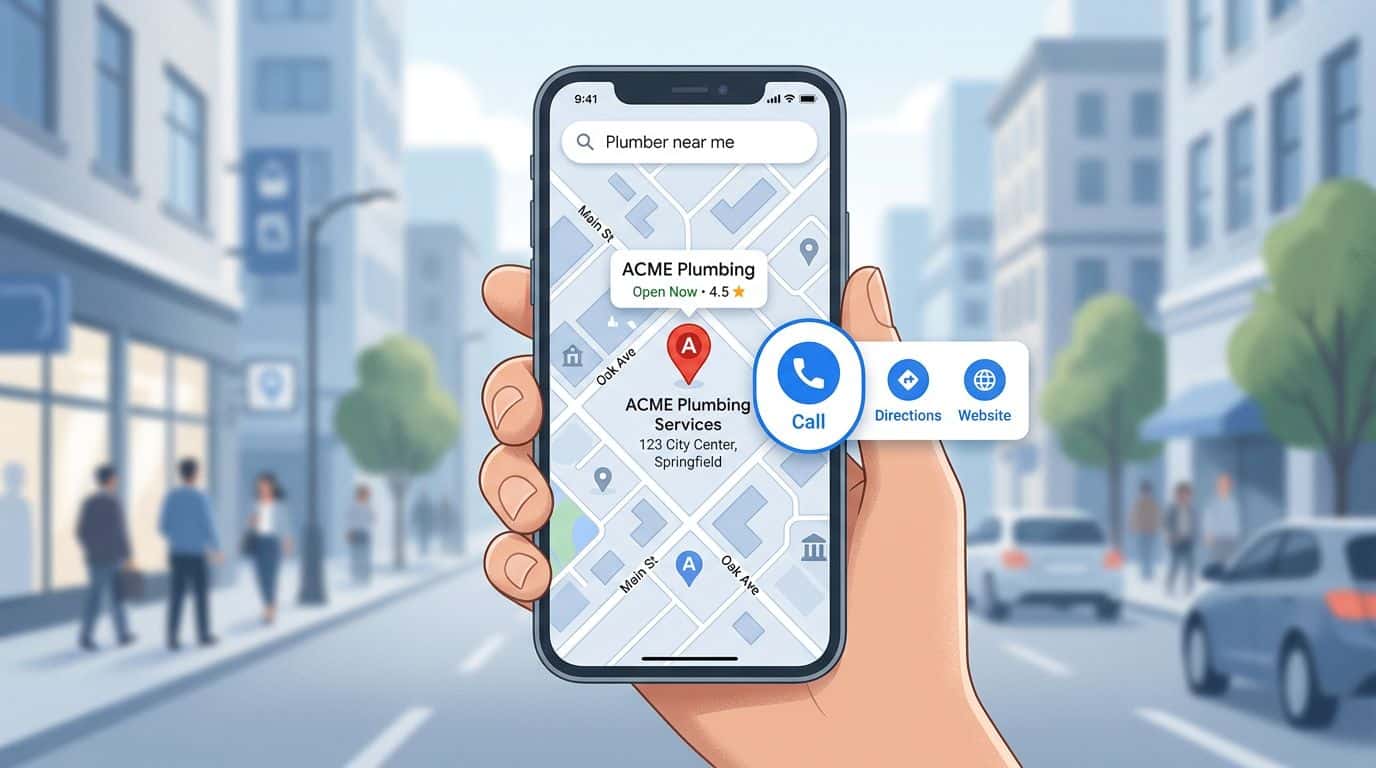
Someone makes a local search for “emergency plumber near me” on Google, and your listing pops up. They don’t open your website. They don’t read a blog post. They just scan, trust their gut, and tap Call.
That’s why Google Business Profile posts (formerly Google My Business) matter more than many teams think. They’re the small signs in the window that answer the real question in a hurry: “Are you open, can you help me, and how fast?”
Below is a practical playbook for writing Posts that earn calls even when nobody clicks.
Why Google Business Profile Posts Spark Calls in “zero-click” Searches
In Google Search and Google Maps, your Business Profile often becomes the whole experience. People compare options right there, then choose one to call. This is especially vital for users on mobile devices. Posts help in that moment because they add fresh proof that you’re active, available, and worth contacting, boosting local SEO and customer engagement.
A good Post does three quiet jobs at once:
First, it reduces uncertainty. “Same-day appointments” and “Open until 7 pm” calm the shopper’s nerves. Next, it sets expectations. Price anchors, service areas, and clear terms stop time-wasting calls. Finally, it adds trust signals. Real photos, review highlights, and licensing or insurance notes nudge someone toward the phone.
Google also gives you structured Post types (update posts, offer posts, event posts) and built-in prompts, which can surface in prominent places on your profile, like the knowledge panel. If you’re rusty on what Google allows and how Posts work, start with Google’s official guidance on creating Posts.
One more “why” that’s easy to miss: Posts can support actions that don’t look like clicks. If your copy answers the last-second objections, the caller doesn’t need to visit anything else. They call because the decision feels safe.
The phone-first Post Formula (what to write when you want calls)
If you want calls, write as if your customer is already holding the phone. Because they are.
Use this simple structure for Google Business Profile posts:
1) Service + outcome
Lead with what you do and what it fixes. Skip slogans.
2) Availability
People call faster when timing is clear: “Open now,” “Same-day,” “Next appointment.”
3) Service area
Name a city, neighborhood, or radius. This filters out dead-end inquiries.
4) Proof
Add one trust fact: review count, years in business, “licensed and insured,” or a quick mini-testimonial.
5) A direct cue to call
Write the words “Call now” or “Call to book,” even if a call-to-action button exists.
If your Post reads like a menu, people browse. If it reads like a front desk, people call.
Headline formulas you can reuse
Keep headlines tight. Aim for 6 to 10 words.
- “Open Today: [Service] in [City]”
- “Same-Day [Service], Limited Slots”
- “[Price Anchor] [Service], Book by Phone”
- “Licensed and Insured [Trade], Call Now”
- “New Patients: [Appointment Type] This Week”
- “Kitchen Open Late Tonight, Call Ahead”
Three quick guardrails: avoid misleading claims, don’t stuff phone numbers into the copy just to repeat them, and watch the character limit to ensure headlines and key info aren’t truncated in local search results. Let the profile’s call action do its job.
Swipeable Google Business Profile Posts templates (plus fully written examples for 3 industries)
Use these as plug-and-play drafts. Keep each Post short, and pair it with photos and videos (team, truck, treatment room, finished work, plated dish), paying attention to proper image size.
8 swipeable templates (copy and edit)
- Same-day availability: “Same-day [service] in [area]. Open until [time]. [Trust signal]. Call now to grab the next slot.”
- Price anchor with terms: “[Service] starting at [price]. Includes [what’s included]. Weekday appointments available. Call to confirm pricing for your address.”
- Service area filter: “Now serving [neighborhoods/cities]. If you’re in [area], we can usually arrive in [time window]. Call now.”
- Review-backed reassurance (leveraging user-generated content): “Thanks for [review count]+ reviews. If you need help with [problem], we’ll explain options before work starts. Call to book.”
- After-hours guidance: “After-hours [service] available until [time] for urgent issues. Fees may apply. Call now to check availability.”
- Seasonal reminder: “[Season] is here. Book [service] before the rush. Appointments this week: [days]. Call now.”
- Limited-time offer: “This week only: [offer]. Ends [date]. Limited spots. Call to claim and confirm details.”
- Simple FAQ closer: “Wondering if [problem] needs [service]? Tell us what you’re seeing, and we’ll recommend next steps. Call now during [hours].”
Home services (plumbing, HVAC, electrical): 3 example Posts
Post 1: Same-day repair
“Same-day plumbing repairs in North Austin. Open until 7 pm today. Licensed and insured team, clean work, clear options. Call now to grab the next available window.”
Post 2: Price anchor + expectations
“Water heater diagnostics starting at $X (final price depends on access and parts). Weekday and Saturday appointments. We’ll explain costs before work begins. Call to schedule.”
Post 3: Service area + urgency
“Burst pipe or ceiling leak? We’re dispatching across Round Rock, Pflugerville, and Wells Branch today. If we’re nearby, we may arrive within a few hours. Call now.”
Dental or medical clinic: 3 example Posts
Post 1: New patient openings
“New patients welcome this week. Morning appointments available Tue and Thu. Friendly, no-rush visits, and we’ll walk you through the next steps. Call now to reserve a time.”
Post 2: Time-sensitive need
“Tooth pain or a chipped tooth? Ask about same-week urgent visits during business hours. We’ll confirm availability by phone and share what to bring. Call now.”
Post 3: Trust signal + clarity
“Thanks for 200+ patient reviews. If you’ve been putting off a cleaning, we make it simple and comfortable. Most visits take about an hour. Call to book today.”
Restaurant or bar: 3 example Posts
Post 1: Tonight’s hook
“Live music tonight at 8. Kitchen open until 10, bar open later. If you’re bringing a group, call now so we can suggest the best seating time.”
Post 2: Limited special
“Weekend special is back while supplies last. If you’re planning a late dinner, call ahead to check the wait and confirm hours.”
Post 3: Event-style reminder
“Happy hour runs 4 to 6 pm today. Quick bites, cold drinks, and a short wait if you arrive early. Call now if you want a table hold for a small group.”
A simple publishing SOP (frequency, timing, measurement, and call tracking)
Consistency beats bursts, unlike many social media strategies. Use a repeatable rhythm that matches how Posts show up and fade. Note that GBP verification is a prerequisite for these features.
Weekly SOP that stays realistic
- Pick one goal per Post: calls, bookings, or walk-ins, not all three.
- Publish 1 to 2 times per week. Many Posts lose visibility after about a week, while Events can run until the event date (timing guidance varies by category).
- Rotate Post types: one Update for availability, one Offer or Event when you have a real deadline, and product posts alongside updates.
- Refresh Offers by updating dates, terms, or images instead of reusing identical copy.
- Reinforce with Products: add 3 to 8 Products that match your top services, then write Posts that mention the same names (people recognize the pattern).
- Schedule posts so you don’t rely on memory. Use the business profile manager for manual updates or the google business profile api for automated posting. Data-backed timing ideas can help; see best times to post on GBP and a practical walkthrough on scheduling Google Business Profile posts.
Here’s a simple weekly plan you can repeat:
| Day | Post type | What to publish | Call trigger to include |
|---|---|---|---|
| Mon or Tue | Update | Hours, same-week openings | “Call now” + availability |
| Thu | Offer or Update | Limited slots, seasonal service | Price anchor + end date |
| Sat (optional) | Event/Update | Weekend hours, live event | “Call ahead” + hours |
What to measure (and what not to break)
In the Performance area of GBP (visible in Google search and Google Maps), watch calls, post views, and actions (calls, directions, site). High-quality posts can trigger local justifications in search results. Track trends weekly, not daily, and monitor post status to ensure visibility across all mobile devices.
Call tracking can help, but handle it carefully:
- Do use a tracking number that forwards to your main line, and keep your main number consistent across your website and key directories. Use utm tagging on links to measure search rankings’ impact.
- Do consider placing your main number as an additional number (so customers still see it in some contexts), and test before committing.
- Don’t swap numbers often, it can confuse customers and citations.
- Don’t use different numbers across listings just to “track everything.”
For policy-safe posting habits and moderation tips, keep an eye on GBP Posts best practices from the community.
Treat every Post like a promise. If you say “same-day,” be ready to answer.
Conclusion
Calls come from clarity, not tricks. When Google Business Profile posts highlight availability, service area, proof, and a plain “Call now,” you make the next step feel easy. Keep a weekly rhythm, refresh your Offers, and align Posts with your Products. Then watch calls and actions, adjust copy, and repeat. Your Google My Business profile delivers unmatched visibility as the front desk that never takes a lunch break.